AdSense Revenue Calculator
Use this free AdSense revenue calculator to estimate how much your blog or website can earn from Google AdSense — based on your actual daily traffic, niche click-through rate, and real cost-per-click data. Enter your pageviews, adjust the CTR and CPC sliders, and your projected daily, monthly, and annual revenue appears instantly. No signup required.
Your Settings
💡 Optimization Tips
- Finance / Legal / Insurance niches have the highest CPC rates
- US / UK / Australian traffic earns the most per click
- Above-the-fold ad placement can significantly improve CTR
- More content pages = more impressions = more revenue
10.0K views · 3 ads/page · 450 clicks/day
Revenue Breakdown
Goal Progress
Goal: $500 / monthIndustry & Country Benchmarks
Click any row to instantly apply those CTR & CPC values above
| Industry | Avg CTR | Avg CPC | Apply |
|---|---|---|---|
| Finance / Insurance | 2.5% | $3.44 | |
| Legal | 2.8% | $4.45 | |
| Technology / SaaS | 2.0% | $2.20 | |
| Health / Medical | 2.2% | $2.80 | |
| Real Estate | 1.9% | $2.10 | |
| Education | 1.6% | $1.50 | |
| Blogging / SEO | 1.8% | $1.20 | |
| Travel | 1.5% | $1.40 | |
| Automotive | 1.7% | $1.80 | |
| E-commerce | 1.4% | $1.10 | |
| Fashion / Beauty | 1.4% | $0.85 | |
| Food / Cooking | 1.2% | $0.70 | |
| Gaming | 1.3% | $0.65 | |
| Sports | 1.1% | $0.55 | |
| Entertainment | 1.0% | $0.30 | |
| General | 1.5% | $0.50 | |
| Dating / Relationships | 0.9% | $0.45 |
| Country | Avg CTR | Avg CPC | Apply |
|---|---|---|---|
| United States | 2.5% | $2.80 | |
| United Kingdom | 2.2% | $2.40 | |
| Australia | 2.1% | $2.30 | |
| Canada | 2.0% | $2.10 | |
| Germany | 1.8% | $1.90 | |
| Sweden | 1.8% | $1.80 | |
| Netherlands | 1.7% | $1.70 | |
| France | 1.6% | $1.50 | |
| Japan | 1.5% | $1.60 | |
| Brazil | 1.0% | $0.40 | |
| Mexico | 0.9% | $0.35 | |
| India | 0.8% | $0.20 | |
| Philippines | 0.7% | $0.18 | |
| Indonesia | 0.7% | $0.15 | |
| Nigeria | 0.6% | $0.12 |
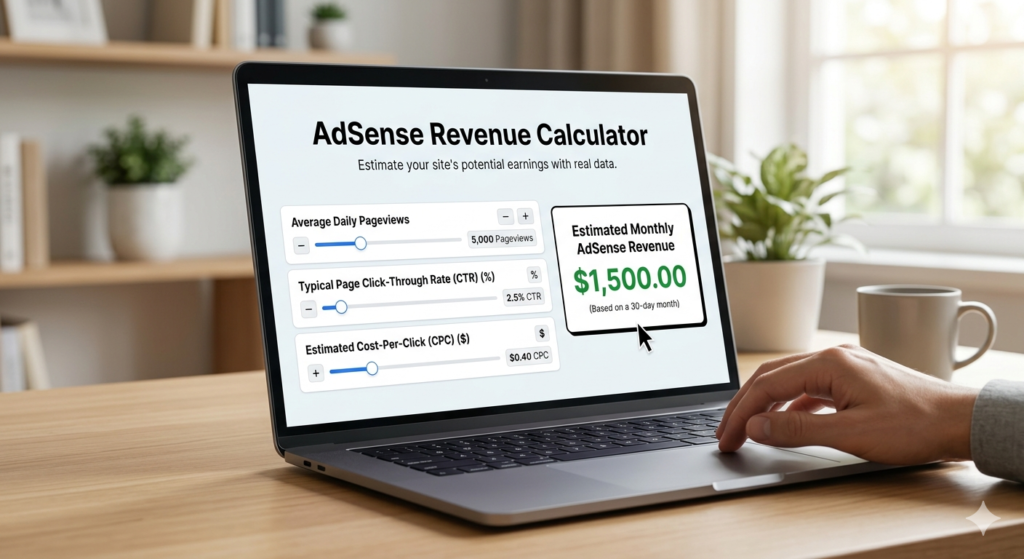
How the AdSense Revenue Calculator Works
The AdSense revenue calculator takes 4 inputs and runs them through Google’s actual revenue formula. Each input maps directly to a variable inside your AdSense account:
If you’re publishing content without a revenue model, you’re guessing. This AdSense revenue calculator gives you a data-backed baseline — useful whether you’re planning a new site, benchmarking an existing one, or figuring out exactly how much traffic you need to hit a specific income goal.
Here’s the flow behind every dollar you earn:
- Advertisers bid on ad placements through Google Ads, competing for visibility on pages relevant to their product or service.
- Google runs the auction, serves the winning ad to your page, and takes approximately 32% of the revenue.
- You (the publisher) receive the remaining ~68% for every valid click or impression, depending on the ad type.
That 68% cut sounds simple, but your actual take varies enormously based on your niche, your audience’s country, your ad placement, and seasonal advertiser spend. A finance blog in the US and a recipe blog in South Asia can have CPC rates that differ by a factor of 10 — even with identical traffic.
AdSense Revenue Calculator Results Explained
These two metrics appear everywhere in AdSense reporting, and confusing them leads to poor optimization decisions. Here’s what each one actually tells you:
CPC — Cost Per Click
CPC is what an advertiser pays every time someone clicks one of their ads on your site. You receive approximately 68% of that amount. CPC is set by the advertiser’s bidding strategy and the competitiveness of keywords on your page — not by you directly.
Typical CPC ranges by niche:
- Finance & Insurance: $0.75 – $3.50
- Legal: $0.60 – $2.50
- Tech / SaaS: $0.45 – $1.80
- Blogging / Marketing: $0.40 – $1.50
- General lifestyle / entertainment: $0.10 – $0.45
You influence CPC indirectly by writing content that attracts high-intent visitors in high-CPC niches. A post titled “best business bank accounts” will generate higher CPC ads than a post titled “cute cat photos.”
RPM — Revenue Per Mille (Per 1,000 Pageviews)
RPM is the single most useful number for comparing your monetization performance over time, or against other publishers. It tells you how much you earn for every 1,000 pageviews — regardless of how many of those visitors clicked.
RPM = (Total Earnings ÷ Total Pageviews) × 1,000
Example: If your site earned $45 from 6,000 pageviews last month, your RPM is $7.50.
A healthy RPM for a blogging/marketing niche site sits between $4 and $15. Finance sites can see $15–$40. If your RPM is below $3, the issue is usually low CPC content, non-tier-1 traffic, or poor ad placement — all fixable.
The 0.68 multiplier is Google’s publisher revenue share — you keep 68% of every ad dollar, Google keeps 32%. This split is publicly documented in Google’s AdSense revenue share policy .
AdSense Revenue Calculator Inputs: 3 Metrics That Control Your Earnings
Knowing what the AdSense revenue calculator is measuring helps you interpret the output accurately — and tells you which number to move first when earnings are lower than expected.
- CTR averages: Real-world AdSense CTR typically falls between 0.5% and 3% for content sites. The industry average across all niches is around 1–1.5%. Higher placement and better ad formats push this up.
- CPC is an average: Your actual CPC fluctuates daily based on advertiser bid competition. Use niche benchmarks as a guide, not a guarantee.
- Earnings assume valid clicks: AdSense filters invalid and accidental clicks. Never click your own ads or incentivize clicks — violations lead to permanent account suspension.
- Country tier matters: Tier 1 traffic (US, UK, Canada, Australia) earns 3–8x more per click than Tier 3 traffic on the same content, because advertisers pay more to reach those audiences.
5 Ways to Move These Numbers in Your Favor
The calculator gives you a baseline. Here’s how to shift it upward:
1. Target Higher-CPC Keywords
Write content in sub-niches where advertisers pay more. For a blogging-focused site, that means posts about monetization, tools, affiliate marketing, and email marketing — not general blogging advice. Look at the benchmark table in the calculator: Legal, Finance, and B2B niches consistently outperform Entertainment or Education.
2. Improve Ad Placement Before Adding More Ads
Most publishers underperform on placement, not on ad count. An ad directly below the H1 (above the fold) and one rectangle immediately after the tool output will outperform three ads buried in the footer. AdSense allows up to 3 ads per page — use them where eyes actually land.
3. Grow Tier 1 Traffic Share
If your analytics show most traffic from South Asia, Southeast Asia, or Africa, your CPC will be low regardless of niche. Focus content topics that attract US and UK searchers — “best X for small business,” “how to file X in the US,” “top tools for X” — and your RPM can double without any change in total traffic volume.
4. Increase Pageviews Per Session
RPM is calculated on pageviews, not sessions. A visitor who reads 3 pages generates 3x the impression inventory. Add clear internal links, related posts, and tool suggestions to every page. Each additional pageview per visitor is incremental ad revenue at zero acquisition cost.
5. Apply When You Have Enough Content
AdSense approval requires original, valuable content across multiple pages. Applying with fewer than 15 substantive pages often leads to rejection. Build the content base first — 3 tool pages, 5+ blog posts, About, Contact, and a Privacy Policy — then apply. Approval typically takes 2–4 weeks.
More Free Tools for Bloggers
If you’re building a blog or monetized website, these free tools work alongside the AdSense revenue calculator to help you stay compliant, plan your content, and grow faster:
Affiliate Disclosure Generator
Monetizing through affiliate links? FTC rules require a clear disclosure on every page that earns commissions. Use our free Affiliate Disclosure Generator to create a platform-specific disclosure for your blog, YouTube channel, Amazon store, or Instagram — in under 60 seconds. No signup required. → [Generate Your Affiliate Disclosure]
Reading Time Calculator
Google’s ranking signals include dwell time and bounce rate — both tied directly to how long your content takes to read. Paste your blog post text into our free Reading Time Calculator to get the exact reading time, speaking time, and a copyable “X min read” badge for your post header. → [Calculate Your Reading Time]